| Site Notice |
|---|
|
Nintendo Wiki has been upgraded! Please let site staff know if you see any errors. We also have a new domain: nintendowiki.net — please update links to use this new domain name. Thank you for editing! |
DS Bimoji Training
| DS Bimoji Training | ||||||||||||||
| DS美文字トレーニング | ||||||||||||||
| ||||||||||||||
| ||||||||||||||
| ||||||||||||||
| ||||||||||||||
|

DS Bimoji Training (Japanese: DS美文字トレーニング DS Bimoji Torēningu, literally DS Beautiful Character Writing Training) is a Japan-exclusive handwriting improvement game developed and published by Nintendo in collaboration with indieszero for the Nintendo DS. It was released on March 13, 2008, and includes a special brush-style stylus, the Bimoji Fude. It is part of the Touch! Generations series.
The game is categorized as a “calligraphy learning software,” designed to help users improve their handwritten characters. Players hold the DS vertically, like a book, and use the stylus to write on the touchscreen. The software analyzes the handwriting, scoring it and offering corrections with explanations on what was done well and what needs improvement. The visual design, music, and sound effects all feature a traditional Japanese style.
The game was first announced during the Nintendo DS Conference! Spring 2006 on February 15, 2006. It was initially scheduled for release in summer 2007.
Blurb
Box
あなたの文字をDSが添削 (The DS corrects your handwriting.)
専用タッチペン「美文字筆」で書いた文字をDSが添削。 (The DS corrects the characters written with the special stylus “Bimoji Fude.”)
一文字ごとに、きれいに書くコツを解説します。 (It explains tips for writing each character beautifully.)
Gameplay
Daily Calligraphy Training
A mode where you practice writing different characters each day to improve your calligraphy skills.
Calligraphy Skill Assessment
Write five randomly selected characters without a model, and your handwriting will be scored to determine your "calligraphy level" on an 8-point scale.
Training
This mode offers several ways to improve your handwriting:
- Basic Tips Training: Learn the key points of writing beautiful characters, such as proper shape and left-right balance, through themed lessons.
- Daily Training: Practice two types of words from different categories each day.
- Practical Phrase Practice: Work on useful phrases like those used in New Year's cards or summer greetings.
- Free Practice: Train using example sentences you've registered yourself.
- All Characters Challenge: Take on the ultimate goal of mastering all 3,099 included characters, set against the backdrop of “Moji-yama,” a Mt. Fuji-inspired mountain drawn in ukiyo-e style.
Doodle Study
This mode includes:
- Themed Doodles: Draw pictures or write characters with brush-like strokes based on weekly changing prompts.
- Free Doodles: Create your own artwork by freely drawing or writing within the frame.
- Everyone’s Doodle Gallery: View artworks saved in individual user data.
Records
Your calligraphy levels certified in the “Calligraphy Skill Assessment” are displayed as a line graph.
Settings
Adjust the background music during practice, change your name and dominant hand, or delete your personal data.
Casual Mode
A simplified mode where you can assess or train your calligraphy skills without registering personal data.
- Casual Calligraphy Skill Assessment: Measure your current calligraphy level without registering.
- Casual Calligraphy Training: Practice various daily characters without saving data.
Calligraphy with Everyone
A multiplayer mode that uses a single Nintendo DS system.
- Compare Calligraphy Skills: 2–4 players write the same character to compete in handwriting skill. After three characters, the player with the highest total rank wins.
- Guess the Stroke Order: 2–6 players take turns guessing the correct stroke order of a character. After three rounds, the player with the most correct guesses wins.
Calligraphy Dictionary
A reference mode with detailed information on characters and writing styles.
- Model Dictionary: Input a character to view a model example.
- Model Notes: Detailed explanations about the model characters and stroke orders used in the software.
- Typeface Mini-Dictionary: Information about Japanese fonts and how character appearances vary by style.
- Kanji Origins Dictionary: Learn about the historical origins and formation of kanji characters.
Gallery
-
 DS Bimoji Training Box (Front)
-
 DS Bimoji Training Box (Back)
-
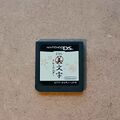 DS Bimoji Training Cartridge
-
 DS Bimoji Training Title Screen


Soundtrack
| Track | Title | Length |
|---|---|---|
| 1 | Title Theme ~ The Scent of Color | 4:00 |
| 2 | Temp Title | 0:39 |
| 3 | Personal Calendar | 2:08 |
| 4 | Before the Exam | 1:35 |
| 5 | Today's Calligraphy Education | 0:52 |
| 6 | Base | 0:17 |
| 7 | Kotsu Training | 3:23 |
| 8 | Higawari | 2:23 |
| 9 | Jitsuyou | 2:23 |
| 10 | Jiyuu | 0:54 |
| 11 | Jiyuu Search and Type | 1:54 |
| 12 | Zenmoji Menu | 0:54 |
| 13 | Your Zenmoji Progress | 2:00 |
| 14 | Grades and Corrections | 3:07 |
| 15 | Results Type 1 (Fanfare) | 0:52 |
| 16 | Results Type 2 (Formal) | 2:33 |
| 17 | Results Type 3 (Ambient) | 1:35 |
| 18 | Rakugaki Time! | 3:21 |
| 19 | Your Records | 1:37 |
| 20 | Need to Config? | 1:10 |
| 21 | Credits Theme ~ Air of Watercolors | 4:29 |
| 22 | Assistance | 2:33 |
| 23 | Competition Prep | 1:36 |
| 24 | Best Handwriting Wins! | 1:15 |
| 25 | Know Your Stroke Order! | 3:27 |
| 26 | Historical Kanji Dictionary | 1:52 |
| 27 | Character Point | 2:36 |
| 28 | Hitoyasumi | 0:11 |
| 29 | Zenmoji Jingle #1 | 0:05 |
| 30 | Zenmoji Jingle #2 | 0:09 |
| 31 | Zenmoji Jingle #3 | 0:14 |
| 32 | Ambience #1 - Morning Bird | 0:55 |
| 33 | Ambience #2 - Busy Station | 1:10 |
| 34 | Ambience #3 - Summer Night | 1:05 |
| 35 | Ambience #4 - Summer Day | 1:10 |
| 36 | Ambience #5 - Daily Commute | 1:06 |
| 37 | Ambience #6 - Rainstorm | 1:10 |
| 38 | Ambience #7 - Oceanside | 1:12 |
| 39 | Zenmoji Ambience | 3:32 |
Credits
Directors
Design Director
Design
Program
Program Advisor
Data Script
Sound Composition
Artwork
Beauty Brush Character Development Cooperation
Tomonori Yamamoto
Yuko Zenri
Junichiro Miyatake
Naoya Kawanobe
Role Model Character Creation
Role Model Character Creation & Comments
Motoya Ltd.
Example Data Production Progress
Yu Tsuruta (Motoya Font Co., Ltd.)
Shinichiro Fukuda (Motoya Ltd.)
Example Text Digitization
Norihide Ozaki (Motoya Font Co., Ltd.)
Example Point Data Entry
Shosui Wada (Wada-sama)
Comment Edit Corrections
Fune Saeki (Endo-sama)
Hikari Terahigashi (Terahigashi-sama)
Example Data & Font Management
Takao Yoshinaka (Motoya Font Co., Ltd.)
Yasutomi Kusano (Motoya Font Co., Ltd.)
Tomoko Metani (Motoya Font Co., Ltd.)
Development Cooperation
Motoya Font Room Corporation
Debug
Special Thanks
Asako Kozuki (As Asako Haruhana)
Coordinator
Project Managers
Producers
Executive Producer
Trivia
- The game was supervised by handwriting expert Mikihisa Harada, he oversaw the creation of the example handwriting characters and the commentary provided on player input. His role involved ensuring the quality and authenticity of handwriting models shown in the game.
- In the credits, they give a special thanks to Asako Hurihara but her name is actually Asako Kozuki
- The game was debugged by Mario Club
Technical details
|